The $25,000 Redesign That Killed a Business's Rankings Overnight
A Coral Gables law firm spent $25,000 on a beautiful new website. Modern design, crisp photography, slick animations. The developer delivered it on a Friday. By Monday, the firm's phone had stopped ringing.
Their old website, the one that looked like it was built in 2017 (because it was), had ranked on page one for "estate planning attorney Coral Gables," "trust attorney Miami," and eight other high-value keywords. Those rankings had taken three years to build. The new site wiped them out in 72 hours.
What went wrong? The developer changed every URL on the site without creating 301 redirects. The title tags and meta descriptions were replaced with generic placeholders. The blog, which had 40+ articles generating consistent organic traffic, was moved to a subdomain that Google treated as a separate website. The new homepage loaded in 6.8 seconds because of an uncompressed hero video. And the schema markup that had been generating rich results in Google? Gone.
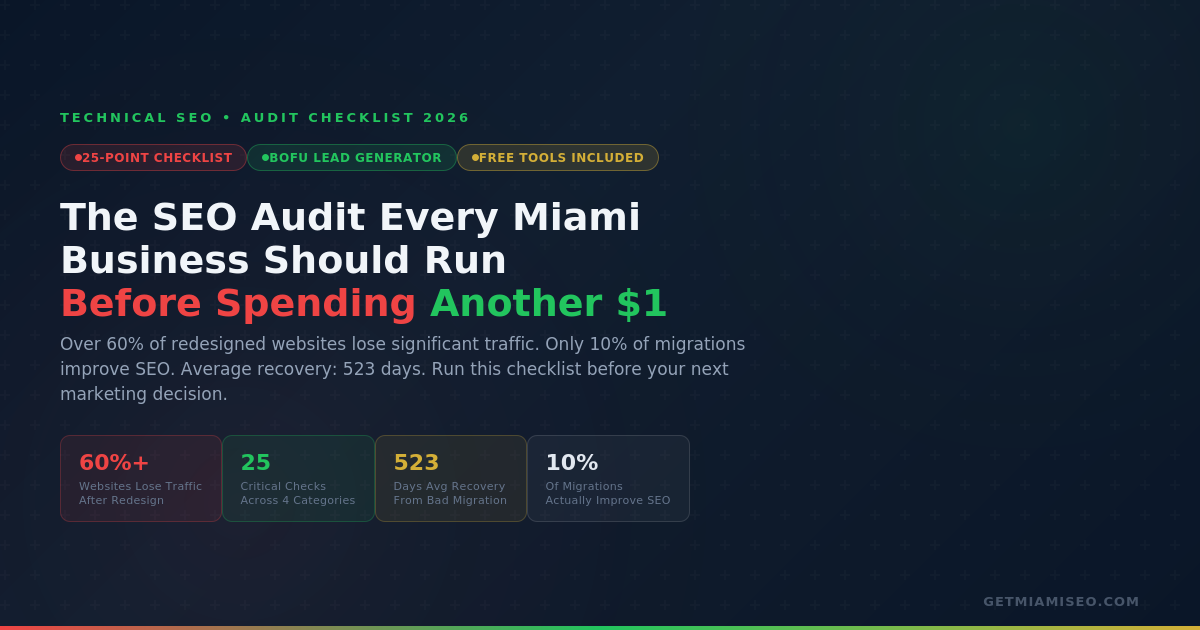
This is not an unusual story. It is the most common story in our industry. Over 60% of websites experience significant organic traffic drops after redesigns that ignore SEO (Mos Web Design). Only 10% of site migrations actually improve search performance (Numen Technology). The average recovery time from a botched migration is 523 days. That is nearly a year and a half of lost leads, lost revenue, and lost momentum.
The firm eventually recovered most of its rankings. It took 11 months, a complete technical remediation, and another $18,000 in SEO work to undo what should have been prevented with a $2,000 pre-migration audit.
This guide exists so that story does not become yours. Whether you are planning a redesign, evaluating your current site's performance, or trying to understand why your Google rankings have been declining since the last algorithm update, this 25-point checklist will show you exactly where your website stands and what to fix first.
What an SEO Audit Actually Is (and What It Is Not)
An SEO audit is a diagnostic examination of your website's ability to appear in search results and convert visitors into customers. It is not a report card. It is not a pass/fail test. It is a prioritized action plan that tells you where your website is leaking traffic, authority, and revenue, and in what order to fix those leaks.
A thorough audit examines four interconnected systems.
Technical foundation answers the question: Can Google actually find, crawl, and index your pages? If your robots.txt file accidentally blocks your service pages, or if your site returns server errors, or if your pages take 8 seconds to load on mobile, nothing else you do matters. Google cannot rank what it cannot access.
On-page optimization answers the question: Do your pages signal relevance to the searches your customers are performing? This includes title tags, meta descriptions, header structure, keyword targeting, internal linking, and whether each page has enough substantive content to demonstrate expertise on its topic.
Local SEO signals answer the question: Is your business visible in the Google Map Pack and local search results where 76% of "near me" searches result in a visit within 24 hours? This covers your Google Business Profile, citation consistency, review signals, and local content.
Content and authority answers the question: Does Google see your website as a trusted, authoritative source worth ranking above competitors? This includes your backlink profile, content depth, E-E-A-T signals (Experience, Expertise, Authoritativeness, Trustworthiness), and whether your content is structured for both traditional search and AI-generated answers.
An audit is not a one-time event. Run a full audit quarterly. Run focused technical checks monthly. Run an emergency audit immediately after any website redesign, CMS migration, domain change, or sudden traffic drop. Google Search Console should be monitored weekly.
The 25-Point SEO Audit Checklist
Part 1: Technical Foundation (Checks 1 through 8)
These eight checks determine whether Google can physically access and understand your website. If any of these fail, every dollar you spend on content, ads, or marketing is partially wasted because you are building on a broken foundation.
Check 1: Robots.txt review. Navigate to yourdomain.com/robots.txt in your browser. This file tells Google which pages it can and cannot crawl. Look for any "Disallow: /" line, which blocks your entire site. Look for blocks on important directories like /services/, /blog/, or key product categories. Confirm your sitemap URL is referenced. A single misplaced Disallow rule can hide your most valuable pages from every search engine.
Check 2: XML sitemap health. Your sitemap is the roadmap you hand to Google. Check that it exists (usually at yourdomain.com/sitemap.xml), that it is submitted in Google Search Console, that it contains only pages you actually want indexed (not 404 pages, redirects, or duplicate URLs), and that the "last modified" dates are accurate. A sitemap with 500 URLs that includes 150 broken pages sends a signal of neglect.
Check 3: Index coverage. In Google Search Console, navigate to the Pages report. This is the single most revealing dashboard in any SEO audit. It shows you how many pages Google has indexed versus how many it has excluded, and the specific reason for each exclusion: "Crawled but not indexed," "Blocked by robots.txt," "Noindex tag," "Redirect," "Not found (404)." Compare the number of indexed pages against the number of pages you expect to be indexed. If your site has 80 pages but Google only indexes 35, you have a fundamental problem that no amount of content or link building will solve.
Check 4: HTTPS and security. Your entire site should load over HTTPS with a valid SSL certificate. Check for mixed content warnings (pages that load over HTTPS but include images, scripts, or resources loaded over HTTP). Mixed content breaks the security chain and can trigger browser warnings that destroy user trust. HTTPS has been a confirmed Google ranking signal since 2014.
Check 5: Core Web Vitals. Test your homepage, your top 5 traffic pages, and your top 5 service/product pages at pagespeed.web.dev. The three metrics that matter: LCP (Largest Contentful Paint) measures how quickly the main content loads. Target: under 2.5 seconds. INP (Interaction to Next Paint) measures how quickly the page responds when a user interacts with it. This replaced First Input Delay (FID) in 2024 as the official responsiveness metric. Target: under 200 milliseconds. CLS (Cumulative Layout Shift) measures visual stability. Target: under 0.1. Google research shows that as page load time increases from 1 second to 10 seconds, mobile bounce probability increases 123%.
Check 6: Mobile usability. 63% of all Google searches happen on mobile. Google uses mobile-first indexing, meaning it evaluates the mobile version of your site before the desktop version. Test your site on an actual phone, not just a desktop browser resized to mobile width. Check that text is readable without zooming, buttons and links are large enough to tap accurately, no horizontal scrolling is required, forms work smoothly, and popup overlays do not block content. Google Search Console's Mobile Usability report flags specific issues.
Check 7: Redirect audit. Crawl your site with Screaming Frog (free for up to 500 URLs) and filter for redirect chains. A redirect chain is when URL A redirects to URL B, which redirects to URL C, which finally loads URL D. Each hop in the chain leaks authority and slows the page. Google will follow a limited number of hops before giving up. Fix any chain longer than one redirect. Also check for redirect loops (where A redirects to B and B redirects back to A, creating an infinite cycle that never loads).
Check 8: 404 errors and broken links. In Google Search Console, check the Pages report for "Not found (404)" errors. These are pages Google tried to access but could not find. If those pages had backlinks, you are losing all the ranking value those links provided. For each 404 page with backlinks or historical traffic: restore the page if the content is still relevant, or create a 301 redirect to the most closely related live page on your site.
Part 2: On-Page Optimization (Checks 9 through 14)
Once you have confirmed Google can access your site, the next layer examines whether your pages are communicating relevance to the searches your customers perform.
Check 9: Title tag audit. Every page on your site should have a unique title tag under 60 characters that includes the page's primary keyword and, where natural, your location. "Estate Planning Attorney Coral Gables | [Firm Name]" signals relevance for both the service and the geography. Common problems: duplicate title tags across multiple pages (confuses Google about which page to rank), missing title tags (Google generates its own, often poorly), title tags that are too long (Google truncates them), and title tags stuffed with keywords rather than written for humans.
Check 10: Meta description audit. Meta descriptions do not directly affect rankings, but they directly affect click-through rate, which does affect rankings through behavioral signals. Every page should have a unique meta description under 155 characters that clearly communicates what the page offers and why someone should click. Common problems: duplicate descriptions, missing descriptions (Google pulls random text from the page), and descriptions that read like they were written for a machine rather than a person.
Check 11: Header structure (H1, H2, H3). Every page should have exactly one H1 tag that contains the page's primary keyword. Subheadings (H2, H3) should create a logical hierarchy that helps both readers and search engines understand the page's structure. Common problems: pages with no H1, pages with multiple H1 tags, H1 tags that are generic ("Welcome" or "Home"), and header hierarchy that skips levels (jumping from H1 to H3 without an H2).
Check 12: Internal linking. Internal links are how authority flows through your website and how Google discovers the relationship between your pages. Every important page should be linked from at least 3 other pages on your site. Your most valuable pages (those targeting your highest-value keywords) should receive the most internal links. Check for orphan pages (pages that exist but are not linked from anywhere else on your site) because Google may never find them. The definitive local SEO playbook explains how internal linking supports the #1 organic local ranking factor: dedicated service pages.
Check 13: Canonical tags. Canonical tags tell Google which version of a page is the "official" version when multiple versions exist (http vs https, www vs non-www, pages with URL parameters). Every indexable page should have a self-referencing canonical tag. Check that canonical tags point to the correct URLs and are not accidentally pointing important pages to other pages, which would tell Google to ignore them.
Check 14: Schema markup. Schema markup helps search engines understand your content and can generate rich results (star ratings, FAQ dropdowns, business hours in search results). In 2026, schema is also critical for AI search visibility because AI systems use structured data to generate accurate answers about your business. Test your pages at Google's Rich Results Test. At minimum, implement LocalBusiness schema (with the most specific subtype for your industry), FAQPage schema on pages with FAQ sections, and Article schema on blog posts. For restaurants, add Restaurant and Menu schema. For medical practices, add MedicalBusiness schema. For law firms, add LegalService schema.
Part 3: Local SEO Signals (Checks 15 through 19)
For Miami businesses with a physical location or defined service area, local SEO signals determine whether you appear in the Google Map Pack, where 93% of local-intent searches show results.
Check 15: Google Business Profile completeness. GBP signals represent 32% of all Map Pack ranking factors (Whitespark 2026). Log into your Google Business Profile and verify: primary category is the most specific option available (the #1 ranking factor, score 193 out of 193 in the Whitespark survey), all secondary categories are set (up to 9), description uses all 750 characters (including Spanish for Miami's 69% Hispanic market), every service is listed individually with descriptions, all attributes are selected (especially "Se habla español"), hours are accurate including holidays and special hours, and your profile has 250+ photos (the benchmark for top-3 Map Pack positions per Localo's 2 million profile analysis).
Check 16: NAP consistency. Your business Name, Address, and Phone number must be identical across your website, your GBP, and every directory listing. "123 Brickell Ave, Suite 500" on one source and "123 Brickell Avenue #500" on another is an inconsistency that weakens your citation signals. Search your business name on Google and check the top 10 directory listings that appear. Fix any discrepancies.
Check 17: Review signals. Reviews represent 20% of Map Pack ranking factors, up from 16% in 2023 (Whitespark 2026). Check your total review count (benchmark: 250+ for top-3 positions), your average rating (competitive threshold: 4.8 stars), your review velocity (are new reviews arriving consistently, at least weekly), and whether you are responding to all reviews with substantive responses (benchmark: 140 words for top-3 positions). 89% of consumers are more likely to choose a business that responds to reviews (BrightLocal).
Check 18: Local content pages. The #1 organic local ranking factor is "dedicated page for each service" (Whitespark 2026, score 163). Does your website have individual pages for each service you offer, with 800+ words of substantive content per page? Does each page include your city, neighborhood, or service area naturally in the title tag, H1, and body content? A law firm in Brickell should have separate pages for each practice area, each targeting its specific keywords and geographic terms.
Check 19: Citation audit. Quality citations outperform quantity: 10 authoritative citations provide more ranking benefit than 50 low-quality ones (Whitespark 2026). But for AI search visibility, citations are critical: 3 of the top 5 AI visibility factors are citation-based. Check your presence on the priority directories: Yelp, Apple Maps, Bing Places, Facebook, BBB, and your industry-specific directories (Avvo, Healthgrades, OpenTable, Zillow, etc.).
Part 4: Content and Authority (Checks 20 through 25)
The final layer examines whether your website has the content depth and external authority signals to compete for rankings in Miami's most competitive verticals.
Check 20: Thin content pages. Open Google Search Console's Performance report. Sort your pages by impressions, lowest first. Pages that Google shows but nobody clicks are often thin content pages: pages with fewer than 300 words, pages with generic content that does not add value, or pages that duplicate content from other pages on your site. The December 2025 core update specifically targeted sites with thin content and mass AI-generated pages without editorial oversight. Either substantially improve these pages or consolidate them.
Check 21: Content gaps. Identify the keywords your competitors rank for that you do not. Tools like Ahrefs, Semrush, or even a manual search of "[your service] + Miami" can reveal these gaps. For Miami businesses, common gaps include: no neighborhood-specific content (missing pages for Brickell, Coral Gables, Miami Beach, Doral, Wynwood), no Spanish-language content (Spanish keywords carry 75% to 85% lower difficulty), no FAQ content (which feeds featured snippets and AI Overviews), and no comparison or decision-stage content ("SEO vs Google Ads" type articles).
Check 22: Backlink profile. Backlinks represent 13% of Map Pack factors and 26% of organic local ranking factors (Whitespark 2026). Use Ahrefs Webmaster Tools (free tier) or Google Search Console's Links report to check your total number of referring domains, the quality of those domains (are they relevant, authoritative, and local), whether any toxic or spammy links are pointing to your site, and whether you have lost any significant backlinks recently. A link from the Miami Herald or South Florida Business Journal carries more local ranking weight than a link from a national blog with higher domain authority.
Check 23: E-E-A-T signals. Google's quality guidelines emphasize Experience, Expertise, Authoritativeness, and Trustworthiness. Audit your site for: author bios on blog posts and articles (with credentials and experience), an About page that establishes your team's qualifications, clear contact information on every page, privacy policy and terms of service, client testimonials and case studies, and industry certifications or awards. E-E-A-T is especially critical for YMYL (Your Money or Your Life) industries: legal, medical, financial, and real estate.
Check 24: Hreflang implementation (bilingual sites). If your site has both English and Spanish content, verify that hreflang tags are correctly implemented on every page. Hreflang tells Google which language version to show to which users. Common errors: missing hreflang on one language version but not the other, pointing hreflang to non-existent pages, using incorrect language codes, and not including a self-referencing hreflang tag. For the detailed guide on bilingual implementation, see the complete bilingual SEO guide.
Check 25: AI search readiness. 58% to 69% of Google searches now end without a click. Google AI Overviews appear in over 60% of search queries (Xponent21). AI-sourced referral traffic grew 527% between January and May 2025. Is your content structured for AI extraction? Check for: clear, concise answer blocks under your headings (40 to 60 words that directly answer a specific question), properly implemented schema markup, content that addresses questions your customers actually ask, and presence on "best of" or "top local" lists (3 of the top 5 AI search visibility factors are citation-based, per Whitespark 2026). Brands cited in AI Overviews see 35% higher organic CTR (Seer Interactive).
The Website Redesign Survival Guide
Because website redesigns are the single most common cause of catastrophic ranking loss, this section provides the specific actions to take before, during, and after any redesign.
Before the redesign
Document everything. Export your full URL list from your XML sitemap and from a Screaming Frog crawl. Record the title tag, meta description, and H1 for every page. Screenshot your Google Search Console Performance report (last 16 months of data). Export your backlink profile. Save your robots.txt and .htaccess files. Record your current Google Business Profile settings. This is your "before" snapshot and your insurance policy.
Create a complete redirect map. For every URL that will change, document the old URL and the new URL it should redirect to. Use 301 redirects (permanent), not 302 (temporary). Review not only your current redirects but also any redirects inherited from previous redesigns. Redirect chains (A to B to C) should be simplified to direct redirects (A to C).
Set performance baselines. Test Core Web Vitals on your current site. Record your current rankings for your top 20 keywords. Record your monthly organic traffic and lead volume. These baselines are how you will measure whether the redesign helped or hurt.
During the redesign
Preserve URL structure. If possible, keep URLs identical. Every URL that changes requires a redirect, and even a perfect 301 redirect passes only about 99% of link equity. Changing 100 URLs means leaking authority across 100 redirects.
Carry over all metadata. Title tags, meta descriptions, header structure, image alt text, schema markup, and canonical tags should all transfer from the old site to the new site. Do not let a developer replace them with defaults.
Test on staging. Before going live, crawl the staging site. Verify every redirect works. Check every page for metadata, headers, and schema. Test Core Web Vitals. Run the staging site through Google's Mobile-Friendly Test. Fix everything before launch.
After the redesign
Resubmit sitemap. Submit your updated XML sitemap in Google Search Console immediately after launch. Request indexing for your most important pages.
Monitor daily for 90 days. A minor dip of 5% to 10% for 2 weeks is normal as Google re-crawls and re-evaluates. Anything beyond that requires immediate investigation. Check for 404 errors, missing redirects, broken internal links, and Core Web Vitals regressions daily.
Compare against baselines. At 30, 60, and 90 days, compare your rankings, traffic, and leads against the pre-redesign baselines. If performance has not recovered or improved by 90 days, you likely have a technical issue that needs professional attention.
How to Prioritize What You Find
A 25-point audit can surface dozens of issues. Not all are equally urgent. Here is how to prioritize:
Fix immediately (today). Crawl blocks in robots.txt, noindex on important pages, 5xx server errors, HTTPS failures, and incorrect GBP primary category. These are visibility killers. Every hour they remain unfixed is an hour your business is invisible.
Fix this week. Redirect chains, missing canonical tags, broken internal links, duplicate title tags, missing meta descriptions, and unresponsive mobile design. These are ranking suppressors. They do not make you invisible, but they hold you below where you should be.
Fix this month. Core Web Vitals optimization, thin content consolidation, schema markup implementation, citation cleanup, and internal linking improvements. These are competitive differentiators. They separate page-one businesses from page-two businesses.
Build over time. Content gap closure, backlink acquisition, review velocity programs, Spanish-language content creation, and AI search readiness optimization. These are compounding assets. They grow in value every month and create the kind of sustainable competitive advantage that returns $22 for every $1 invested (Improvado).
The Free Tools That Do 80% of the Work
You do not need a $500/month tool subscription to run a meaningful SEO audit. These free tools cover approximately 80% of what a professional audit examines.
Google Search Console. The most important SEO tool that exists, and it is free. Crawl errors, indexation status, Core Web Vitals, search performance (queries, clicks, impressions, average position), mobile usability, manual actions, and links. If you are not using Search Console, you are making every SEO decision blind. Set it up at search.google.com/search-console.
Google Analytics 4. Traffic sources, user behavior, conversion tracking, page performance, and audience demographics. Essential for understanding which pages drive business results and which ones underperform.
PageSpeed Insights (pagespeed.web.dev). Core Web Vitals testing for any URL, with specific recommendations for improvement. Test both mobile and desktop.
Google's Rich Results Test. Validates your schema markup and shows which rich results your pages are eligible for.
Screaming Frog SEO Spider. Free for up to 500 URLs. Crawls your site exactly like Google does and reports on title tags, meta descriptions, headers, status codes, redirects, canonical tags, and more. This single tool can identify the majority of technical issues in one crawl.
Ahrefs Webmaster Tools (free tier). Backlink profile, basic site audit, and organic keyword data for your own site.
For the complete local SEO measurement framework, see the metrics section of the Local SEO playbook.
When to Call a Professional
Run through this checklist yourself. Many of the fixes are straightforward: updating your GBP, fixing broken links, writing meta descriptions, adding alt text to images, responding to reviews. You can handle these without technical expertise.
Call a professional when you encounter issues that require developer-level intervention: server configuration problems, complex redirect mapping for site migrations, Core Web Vitals optimization that involves code-level changes, hreflang implementation across a bilingual site, custom schema markup, or a post-redesign recovery where rankings have dropped significantly and the cause is not obvious.
The worst time to call a professional is after the damage is done. The best time is before you launch that redesign, before you sign that developer contract, and before you spend another dollar on marketing without knowing whether your foundation can support the weight.
FAQ: SEO Audits for Miami Businesses
What is an SEO audit and why does my Miami business need one?
An SEO audit examines your website's technical infrastructure, on-page optimization, local SEO signals, and content quality. Miami businesses face exceptional competition: 300,000+ businesses, 2.7 million residents, 28.2 million annual visitors. Over 60% of redesigned websites lose significant traffic when SEO is ignored. Only 10% of migrations improve SEO.
How much does an SEO audit cost in Miami?
Free (basic automated scans) to $1,500 to $6,500 for comprehensive professional audits. The investment typically pays for itself within the first month of implementing fixes, as resolving critical technical issues produces immediate ranking improvements.
How often should I run an SEO audit?
Full audit quarterly. Focused technical checks monthly. Emergency audit immediately after any redesign, migration, or sudden traffic drop. Google Search Console monitored weekly.
What are the most critical items to check first?
Robots.txt (accidental crawl blocks), noindex directives on important pages, XML sitemap submission, 5xx server errors, and HTTPS/SSL validity. These five checks take under 10 minutes and address the issues most likely to cause total search invisibility.
Why did my rankings drop after a website redesign?
Most commonly: missing 301 redirects, slower load times, lost metadata, broken internal links, removed content, lost schema markup, and changed URL structure. Average recovery from a botched migration: 523 days.
What Core Web Vitals scores should I aim for?
LCP under 2.5 seconds, INP under 200 milliseconds, CLS under 0.1. Google research: bounce probability increases 123% as load time goes from 1 to 10 seconds.
How do I check if Google can find all my pages?
Google Search Console Pages report (shows indexed vs excluded), site:yourdomain.com search operator (shows total indexed pages), and Screaming Frog crawl (free up to 500 URLs, identifies blocked, noindexed, and orphaned pages).
What free tools can I use?
Google Search Console, Google Analytics 4, PageSpeed Insights, Rich Results Test, Screaming Frog (free up to 500 URLs), and Ahrefs Webmaster Tools (free tier). Combined, these cover approximately 80% of a professional audit.